Welcome to Hubei Magicleaf Technology Co., Ltd.
Mobile: +8618566295225
E-mail: tina@magicleafbags.com

Mobile: +8618566295225
E-mail: tina@magicleafbags.com
To choose a Faraday pouch for a phone with a case, compare the complete device size with the usable space inside the pouch. Then check that the opening and closure work without force. Screen size alone is not enough.
A phone may slide into a pouch yet leave too little room to close it fully. A thick case, raised grip or attached ring can change the fit. Measure the setup that will actually be carried, not just the bare phone.
This guide focuses on physical fit. It explains what to measure, what to ask the supplier and what to check on a sample. Wireless performance needs a separate test after fit and closure have been confirmed.
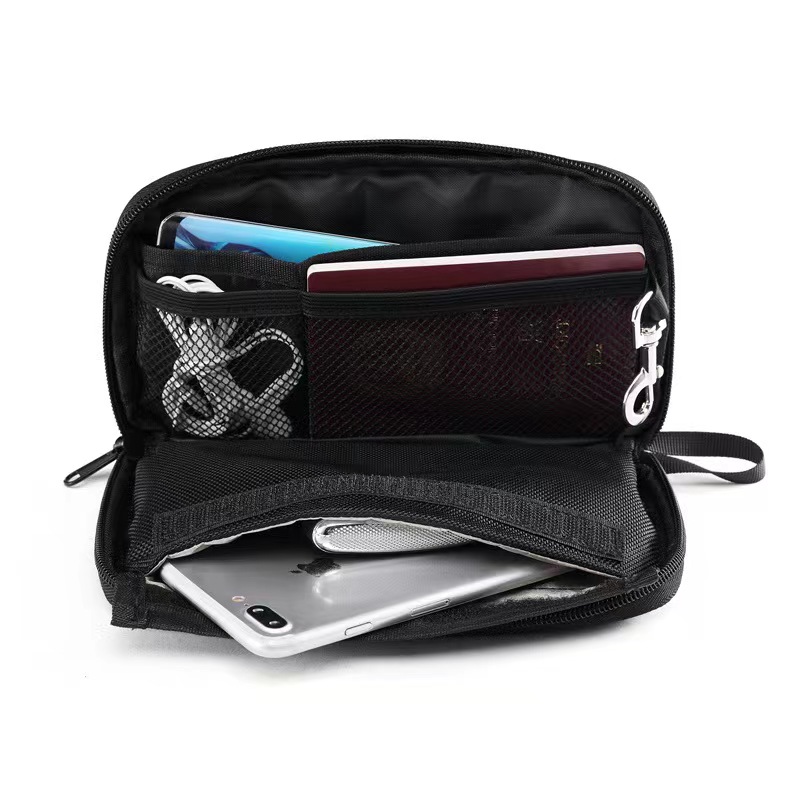
A screen-size label does not describe the full length, width and thickness of a phone. It also leaves out the case and attached parts. Treat it as a broad reference, not a complete sizing rule.
For a signal blocking phone pouch, the whole device must fit inside the intended shielding section. Check the phone body and its daily-carry setup against the actual sample.
A pouch listing may show its outer measurements. Seams, lining and the closing area take up space. Ask which measurements are shown and how the supplier measures the usable area inside.
A flat width and height also leave a question about depth. Do not assume that a wide pouch will hold a thick phone. Check the opening and the space available with the device inside.
Keep the usual case on the phone. Measure the full length and width, then the thickest point. Include raised parts that will remain attached during storage. Record all measurements in the same unit.
A measurement without a case description can be hard to reuse. Add a photo or a short note so another person can check the same setup later.
A grip or ring may fold flat but still add thickness. A strap or clip may catch near the opening. Check these parts in the position used for storage.
If an accessory must be removed, make that clear in the product instructions. Do not approve a sample with a bare phone if users are expected to keep their cases attached.
Place the complete phone setup inside the intended pocket. Check that it sits below the closing area. The pouch should close as designed without pushing the phone into a corner or stretching the opening.
Look at the seams, corners and lining. A phone that fits only at an angle may be awkward to use. Check whether users can repeat the same placement with ease.
A zipper, flap or other closure has its own space needs. Ask the supplier to show the full closing steps. Do not borrow a clearance rule from a different pouch design.
There is no single clearance figure supplied for every design in this guide. Ask for a fit check on the chosen model. A small difference in listed size is not proof of suitable clearance.
Use the actual phone and case where possible. Insert the device, close the pouch and remove it again. Repeat the sequence to see whether the fit is easy to reproduce.
Note any snagging, force or need to rearrange the contents. Photos can help explain a problem to the supplier. A clear record is more useful than saying the pouch feels tight.
For a product range or company order, prepare a target device list. Include different cases where those cases will be supported. The longest phone may not be the thickest or widest setup.
For each setup, record fit as approved, needs review or does not fit. State exactly what was checked. Avoid a general claim such as “fits large phones” when only one device has been reviewed.
Physical fit does not prove shielding performance. Once fit is confirmed, test the finished pouch with the functions and conditions relevant to the project.
Follow the phone pouch testing guide for the separate function-check process. Keep the same phone, case and closing method in both records.
Use this worksheet for sample review. Add one record for each phone and accessory setup. Leave unknown fields open for confirmation rather than guessing.
| Field | What to Record |
|---|---|
| Phone Model | Exact device name or internal reference |
| Case and Accessories | Case type, grip, ring, strap or other attached parts |
| Complete Device Size | Length, width and maximum thickness with accessories |
| Pouch Reference | Model, sample version and date reviewed |
| Listed Dimensions | Measurements shown by the supplier and what they describe |
| Usable Inner Space | Supplier-confirmed measurements and measurement method |
| Opening and Closure | Ease of entry, clear closing area and full closure |
| Removal | Whether the device can be removed without force or snagging |
| Fit Status | Approved / Needs review / Does not fit |
| Follow-Up | Questions, changes or further samples needed |
This is an illustrative fit-review example, not a completed customer project. No measured results are claimed.
A buyer wants one pouch for a phone used with two cases. One case is slim. The other has thicker corners and a folding grip. The phone model is the same, but the stored setup is different.
Measure both setups and check each one on the sample. Record the thickest point and the space near the closure. Check whether the grip catches during removal.
Approval should state which case was used. If only the slim case fits, the instructions must reflect that limit. If the thicker setup needs a revised pouch, review the new sample before making a broader fit claim.
No. Check the full phone size, case and usable pouch space. A screen-size label is not a substitute for a sample fit check.
That depends on the pouch and the intended use. If the case stays on in normal use, include it during review. If removal is required, state that clearly before purchase.
Do not assume so from a single-phone fit result. Check the combined size and the closing space. Any shielding requirement must also be assessed with both devices inside.
No. Extra space may help physical fit, but it is not a shielding rating. Review fit and wireless performance as separate requirements.
Ask for the usable inner size and a fit demonstration. Send your complete device measurements. Request a sample if the fit cannot be confirmed from the available details.
For a product-specific review, see Magicleaf’s zipper-closure phone pouch specifications. Confirm usable inner space and closure fit for the devices you plan to support.
Send Magicleaf the phone models, case details and complete measurements. Add photos of attached accessories, the target quantity and any packing needs. Keep the fit requirement separate from the wireless tests needed for sample approval.